This page contains a collection of the most asked questions about DSCSA. For more detailed information on DSCSA topics, please refer to the other six FAQ documents available on your ordering portal, which are organized into the following categories: General Overview, FDA Exemptions, Receiving and Returns, Serialized Transaction Information, Small Dispenser FAQ and GLNs.

For easy reference, all FDA links can be found at the bottom of the DSCSA page in your ordering portal.
The DSCSA in-scope product indicator in Customer Center and Masters are current and up to date as of August 27, 2025.
DSCSA requirements do not apply to nonprescription drugs (over-the-counter drugs) or animal drugs (drugs subject to section 512 of the Federal Food, Drug and Cosmetic Act (FD&C Act)). Drugs that fall under the DSCSA requirements are defined by the FD&C Act.
Product tracing, product identifier, authorized trading partner and verification requirements in Section 582 of the FD&C Act apply to product as defined by Section 581(13) of this Act. Product means “a prescription drug in finished dosage form for administration to a patient without substantial further manufacturing (such as capsules, tablets and lyophilized products before reconstitution).”
The section 582 requirements do not apply to:
There are also exclusions, refer to the definition of transaction noted in section 581(24) of the FD&C Act. This list of applicable DSCSA drugs is dynamic and is subject to change.
A GLN, or Global Location Number, is a unique identifier that lets businesses know who is involved in transactions and where things are located throughout the supply chain.
Establishing and submitting your GLN(s) is imperative to continue to conduct business with Masters. We are requesting all customers to have one or more GLNs on file with Masters to allow the parties in the supply chain to mature and test their systems and processes.
Please be aware that Masters may not be able to see customer GLNs in the GS1.org portal.
You can find your GLN in a few ways:
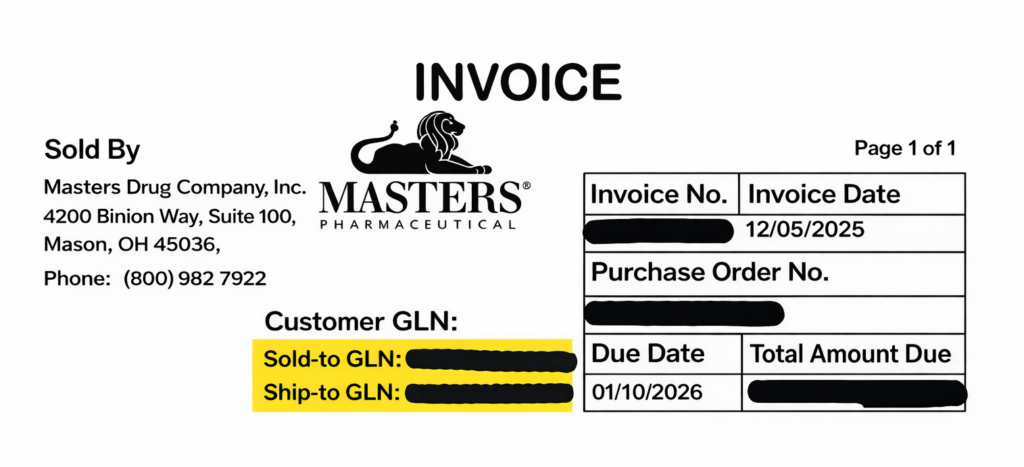
If you would like to change the GLN currently loaded to the Masters system, please work with your sales representative or account executive. Large groups of 10 or more facilities will need to correct GLNs through GS1.org. Customers will need to additionally follow up with Masters with their new GLN.
Any requests for edits to your GLN for address, Sold-To and Ship-To, should also be directed to your sales representative.
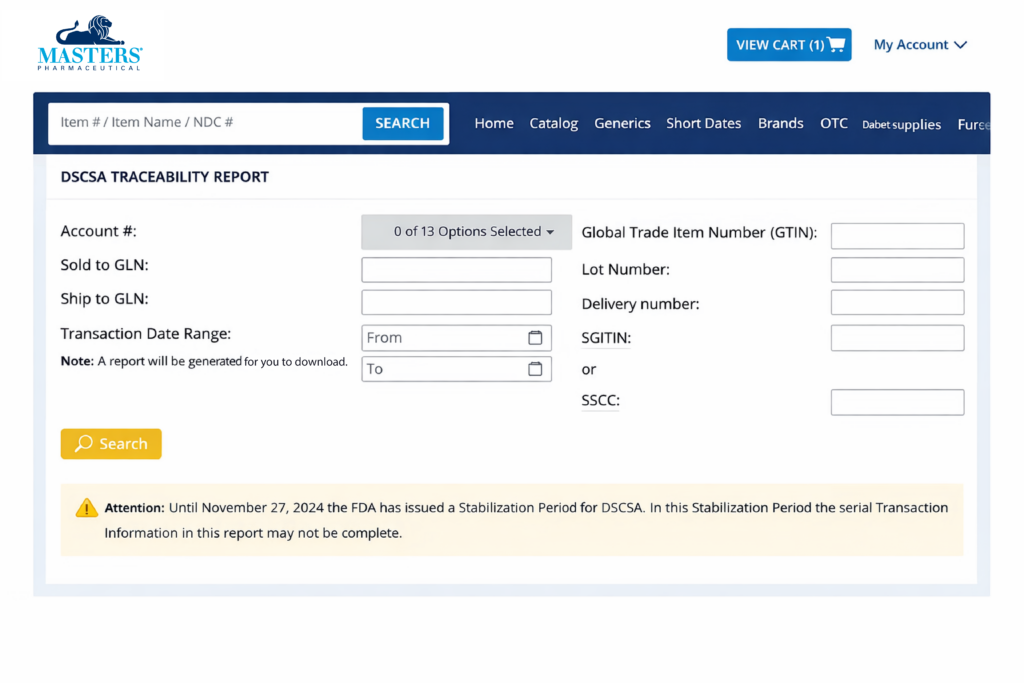
All DSCSA transaction/traceability data that is available to Masters will be accessible through the ordering portals. If data is unavailable when attempting to access EPCIS data from a third-party solution provider, customers can pull their DSCSA Traceability Report from the Masters’ portal or contact their respective provider directly for assistance.
If you are unable to retrieve serialized DSCSA data from the portal after, please reach out to Technical Support through the Contact Us section in your ordering portal.
For DSCSA drop ship data, manufacturers are responsible for providing serialized DSCSA drop ship data to dispensers, not wholesalers. Masters’ affiliate, McKesson, shares this data only when manufacturers send it to us, so data visibility depends on their participation. If data is missing after internal checks, customers will be directed back to the manufacturer.
Masters is making DSCSA transaction data available through our customer-facing portal.
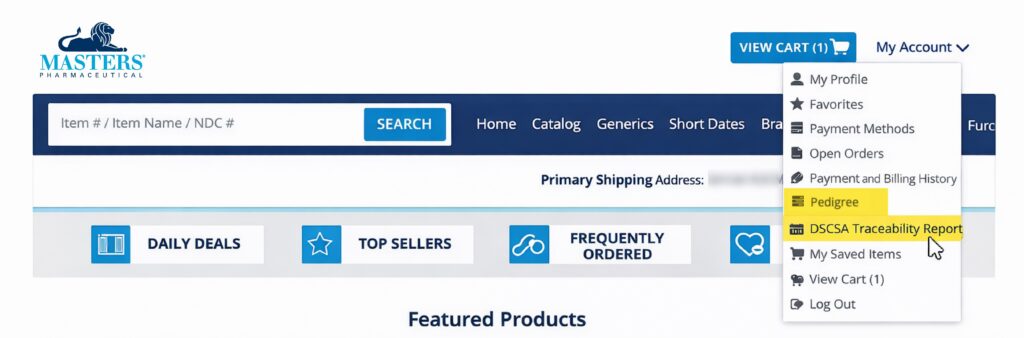
On MastersRX.com, you will be able to find your EPCIS data in the DSCSA Serial Traceability Report and DSCSA Lot Traceability Report under My Account drop down.
Masters’ affiliate’s data repository, also known as Advanced Track and Trace for Pharmaceuticals (ATTP), will store serialization data from Masters and allow searching, downloading and printing upon requests made through the customer-facing portals, provided that the customer has the required GLN(s). Masters customers may use our portal link to manage their DSCSA transaction data during the six-year DSCSA record retention requirement. Additionally, customers may opt to have the data transmitted daily using an EPCIS file to their in-house or third-party DSCSA repository for storage.
If you are using a third-party solution provider for your transaction data, you should first contact your sales representative or account manager to complete the enrollment process. Have the following details to share with your representative:
The sales representative will complete the enrollment process, and you will receive a notification of progress and completion of onboarding.
The process takes approximately:
For Masters customers:
To process a serialized shortage, overage or mispick with Masters, customers should report the issue to their dedicated sales representative and have the following information ready:
Note: Masters will request the serial, lot number and expiration date for any overage to investigate whether the product was previously picked and assigned to another customer, allowing for direct follow-up with that customer if necessary.
If a product was omitted and you see this message on your invoice, you should reorder the omitted product if still desired.
DSCSA creates additional obligations on distributors, including Masters, for saleable returns of DSCSA in-scope products. Since the August 27, 2025, DSCSA serialization compliance date this process has gone into effect:
If a DSCSA in-scope product is not purchased from Masters, Masters cannot receive the product as a saleable return. Verification and association must be completed to confirm the Sold-To GLN that is returning the product is the Sold-To GLN that has purchased the product.
Additionally, saleable returns may be rejected if items are found to be in a condition that is not returnable due to a broken seal, case, box or carton.
The law requires DSCSA in-scope drugs to be traced as they move through the supply chain, and pharmacies should:
Masters is only able to accept returns from the customer to which it originally sold the specific product identifier. All saleable return items must have a readable and scannable product identifier barcode.
Explore our Acronym List & Definitions to quickly understand key industry terms—clear, simple, and easy to reference.